
What’s New in SavaPay V2
A clearer view of your money. Easier access to the things you use every day. Take a look inside the updated SavaPay Wallet.
Explore the updates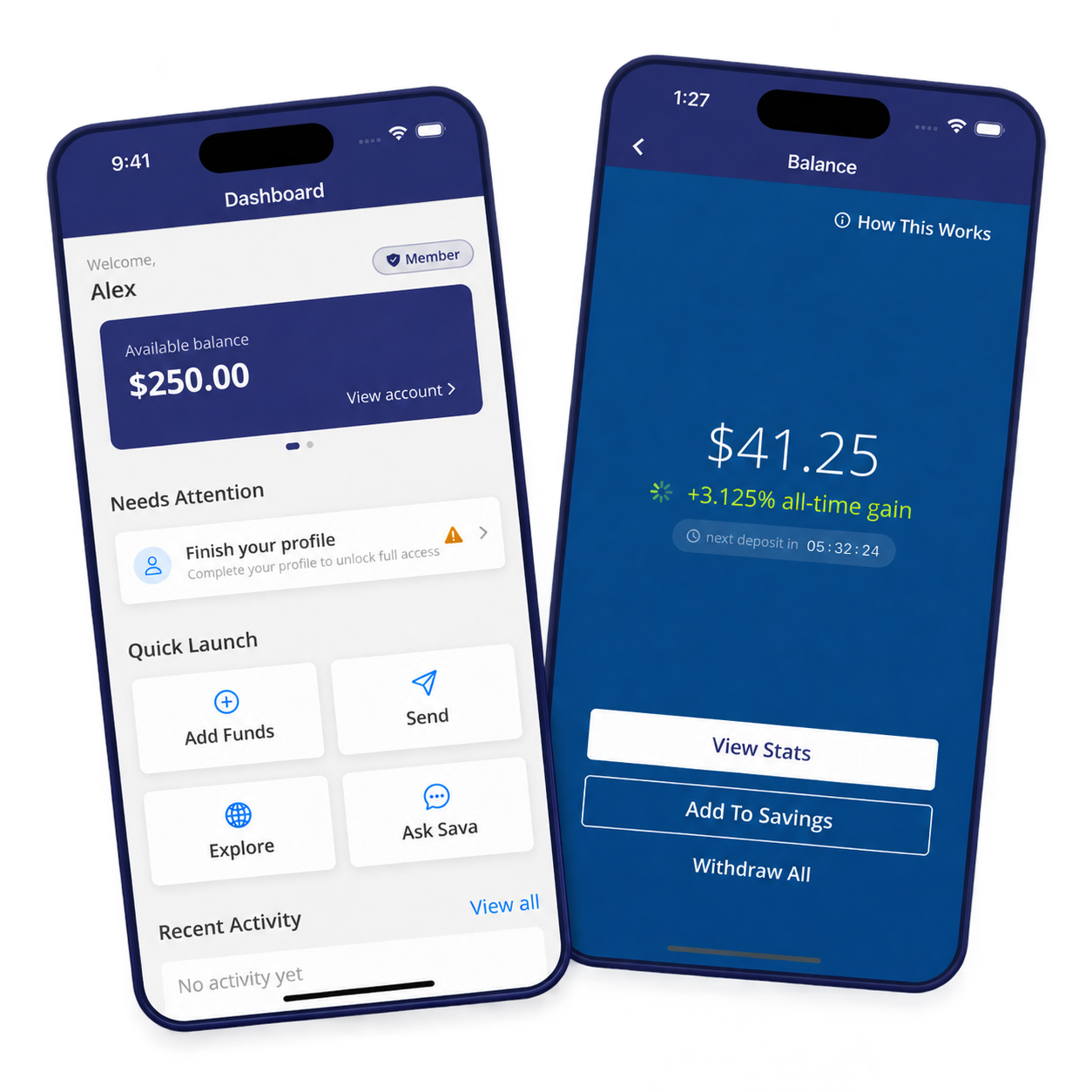
* App screen mockups with example data. Screens are in English; appearance may vary by device and app version.
A new home for your money.
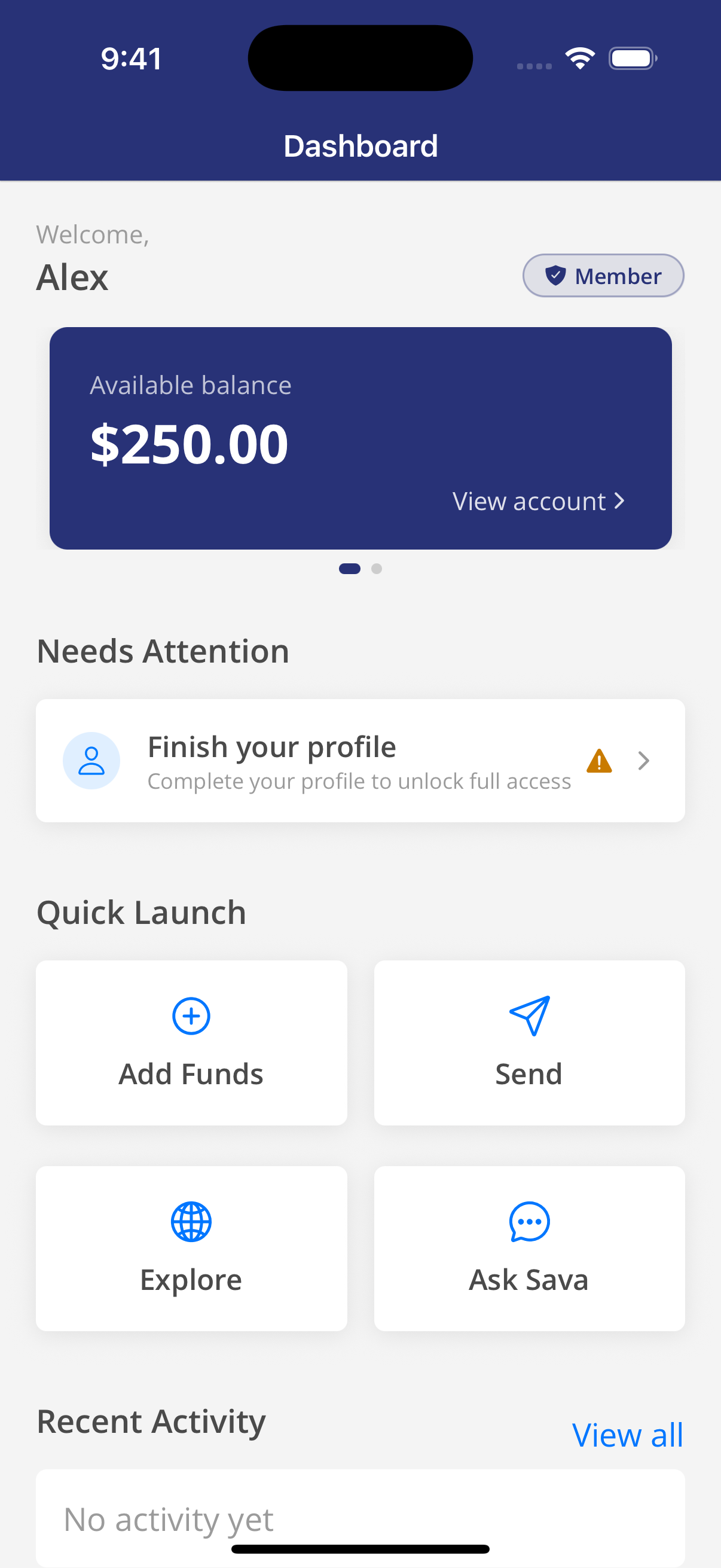
Your redesigned dashboard brings your balance, account reminders and quick actions together, so you can find your next step at a glance.
See your available balance as soon as you open your dashboard.
Reach Add Funds, Send and Explore from Quick Launch.
Review recent activity and see what needs your attention.
Your savings, easier to follow.
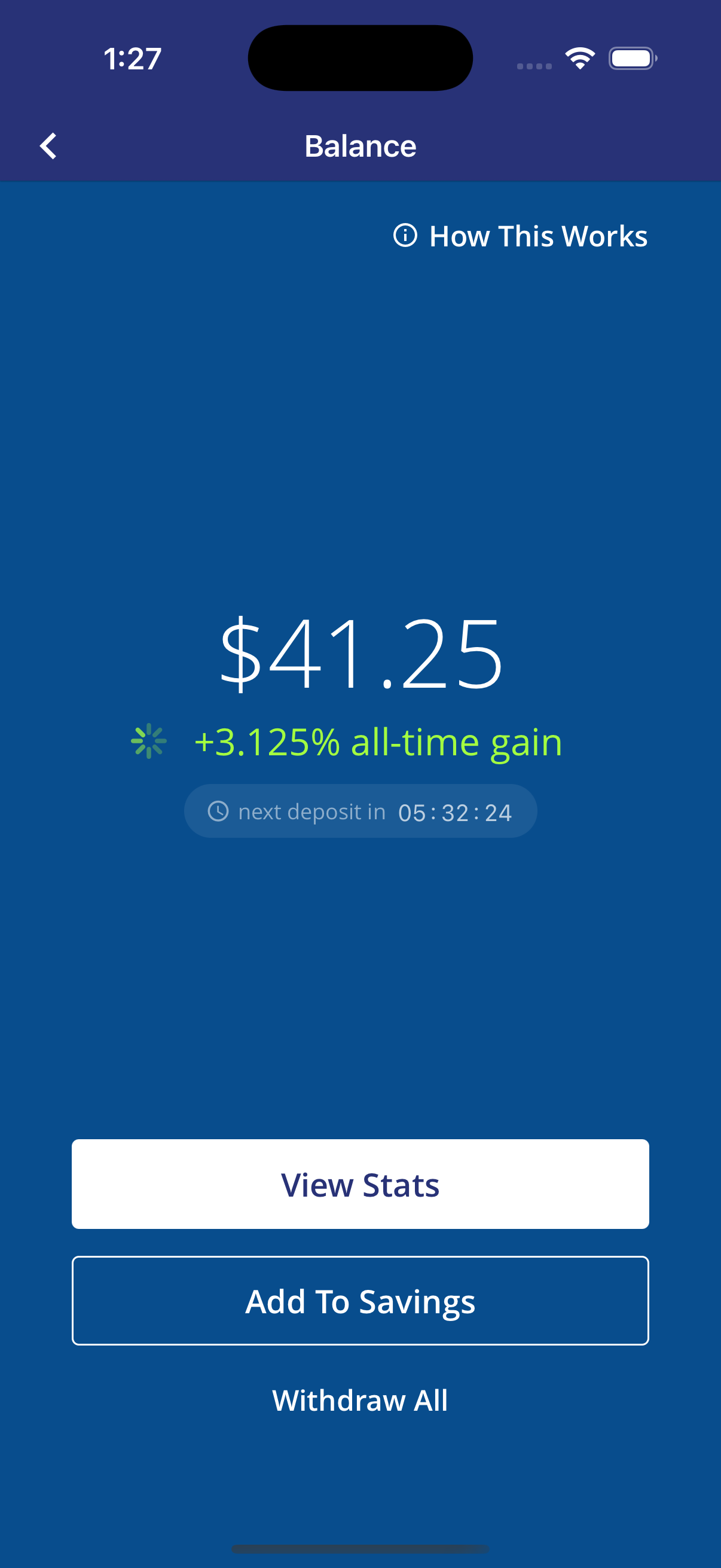
Savings Boost is included with eligible Member access. Get started through a simpler agreement flow, add to your savings and follow your balance and deposit history in the app.
Access Savings Boost through your membership without a separate access purchase.
Add more funds to your existing savings balance.
Find savings statistics, deposit history and the “How This Works” guide.
Know your plan. See your usage.
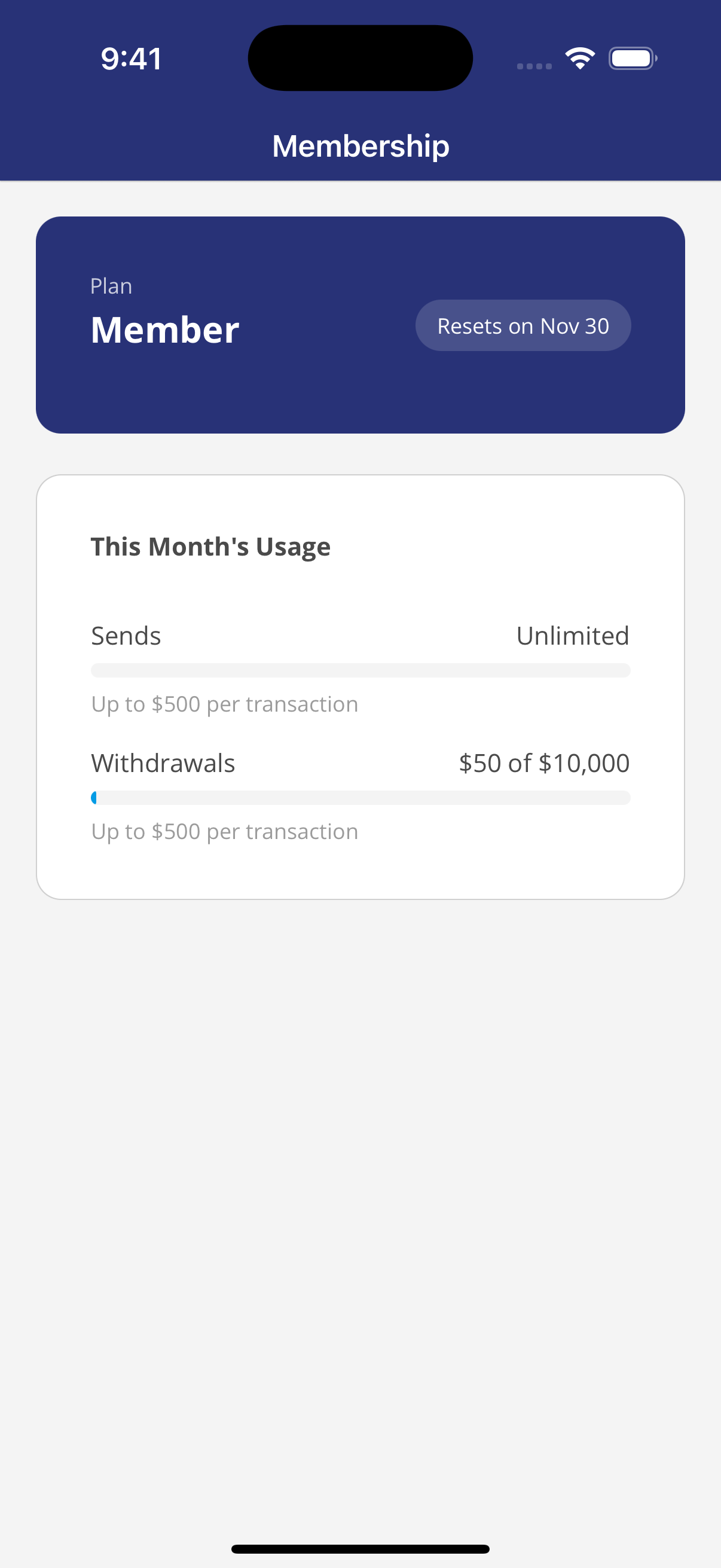
Start with free Guest access or choose Member for higher sending and withdrawal limits and eligible Savings Boost access. The membership screen puts your plan and monthly usage in one place.
See which plan you are on.
Review your sends and withdrawal usage for the month.
Compare the allowances before choosing a plan.
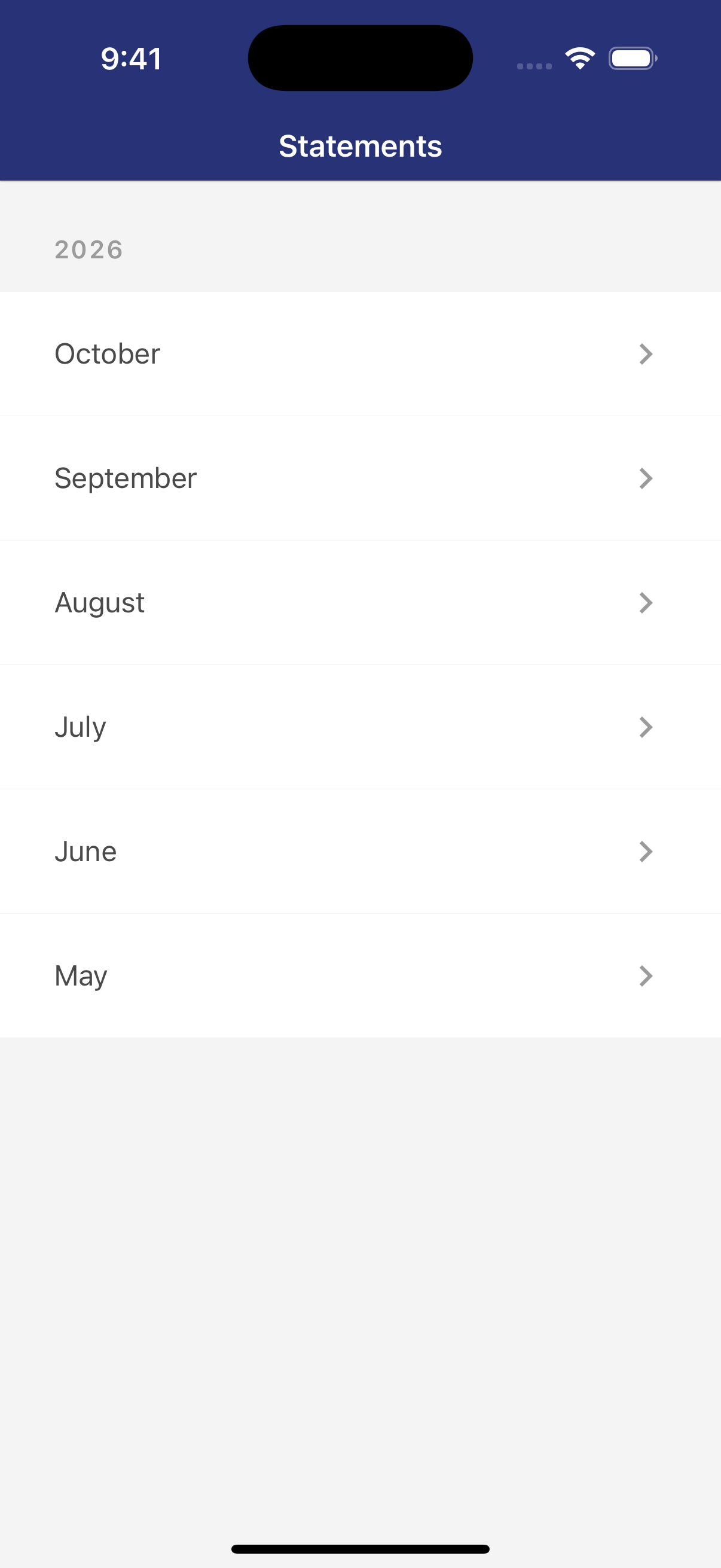
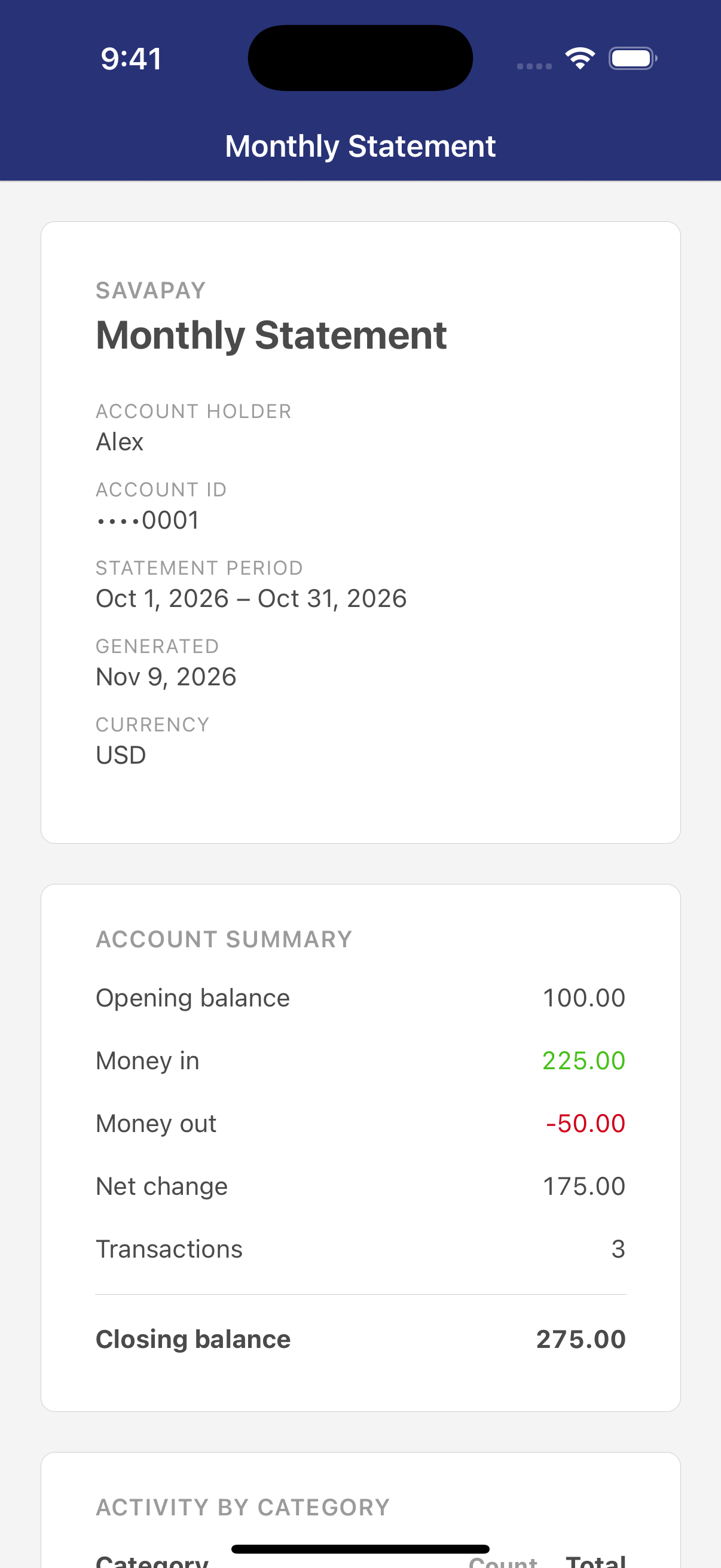
Look back, month by month.
Monthly statements and archived transaction history make it easier to revisit your wallet activity and keep track of past payments.
Browse available statements by year and month.
Open a month to review its transactions.
Find older activity beyond your recent transactions.
A smoother experience, with stronger safeguards.
Clearer payment confirmations
Improved transfer status and receipts help you follow a payment through to confirmation.
Better recovery
Improved sign-in and interrupted-payment recovery help you pick up where you left off.
Stronger account protection
Updated PIN approval and account checks strengthen protection around sensitive actions.
See V2 for yourself.
Discover the updated SavaPay Wallet on iOS.

The Android app is awaiting Google Play approval.